🔥 12,483 students on the waitlist

Study by scrolling.

Flick turns your notes into an addictive feed of flashcards. Snap a page, get a deck in seconds, and actually remember it — in the app you’ll open instead of TikTok.

Loved by students at 300+ schools
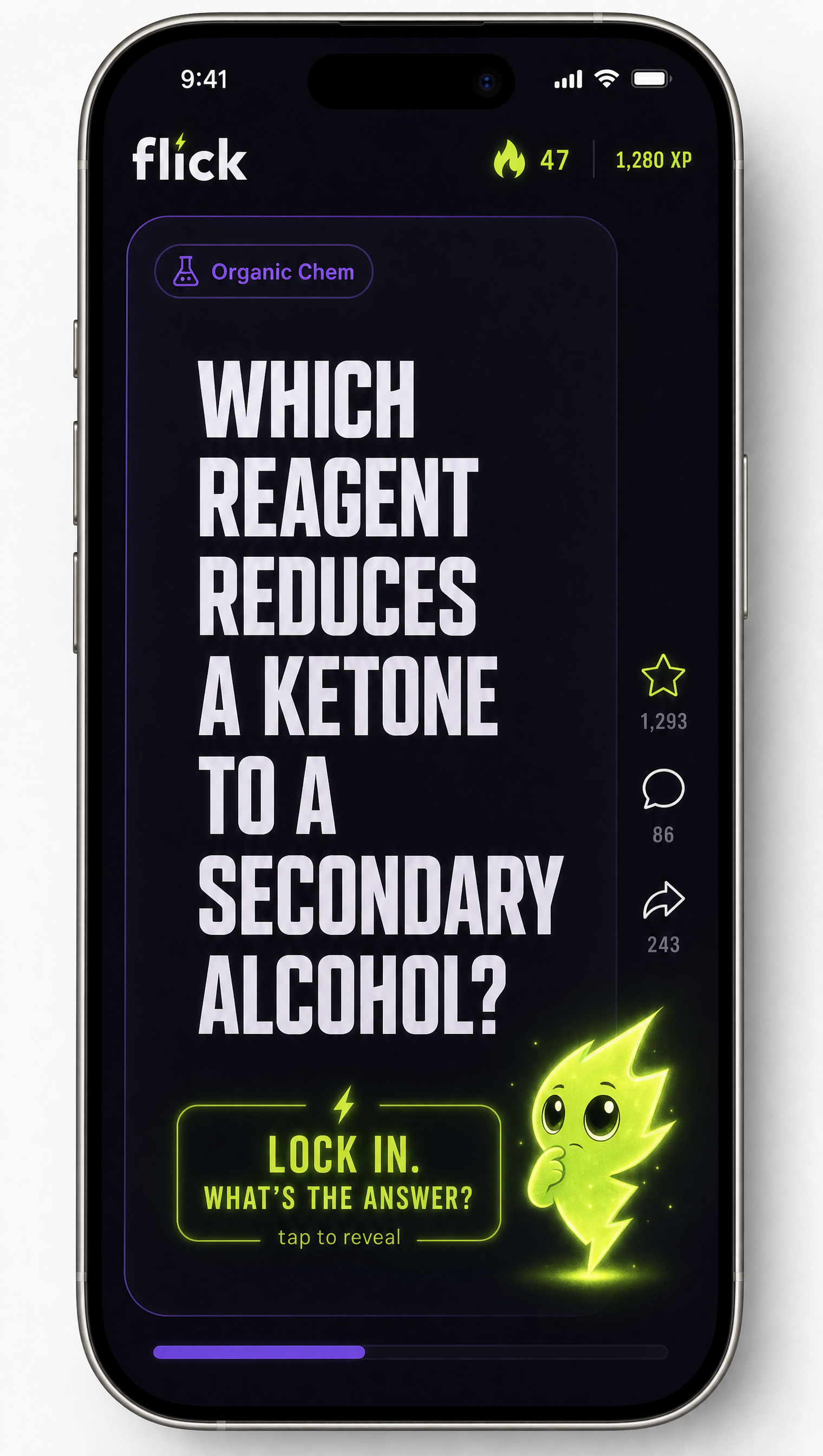
Flick feed — study by scrolling
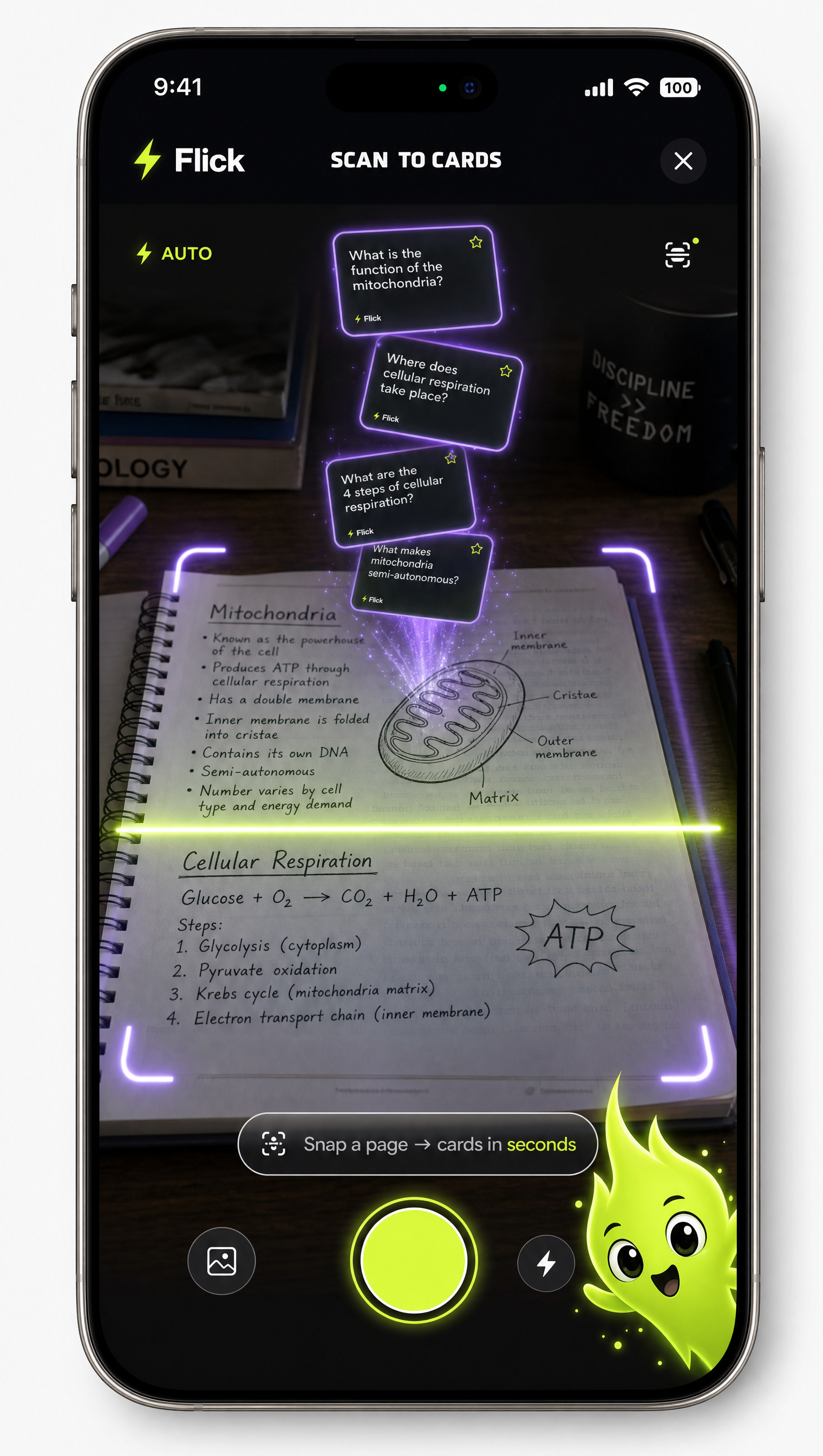
Scan a page and get flashcards instantly
The magic moment

Snap a page → cards in seconds

Point your camera at any textbook, lecture slide, or messy handwritten note. Volt turns it into a playable deck before you can say “finals.” No typing, no busywork — the part everyone screenshots for their story.

Why it spreads

The stuff that makes it go viral

Every core moment in Flick is built to be filmed, flexed, and shared.

📱

A feed you can’t put down

One card at a time, full-screen, swipe for the next. Same dopamine as your For You page — pointed at your GPA. You think of the answer, then flick to reveal.

Meet Volt, your hype gremlin

Streaks, leagues, and a mascot with a full villain era when you skip a day. Miss studying and Volt will guilt-trip you back.

🏆

Flex-worthy streaks

Every milestone becomes a share-ready card built for your Story. Studying that finally looks good on camera.

🎯

Actually remember it

Spaced repetition runs invisibly under the fun, so the cards you keep missing come back until they stick. Feels like scrolling, works like studying.
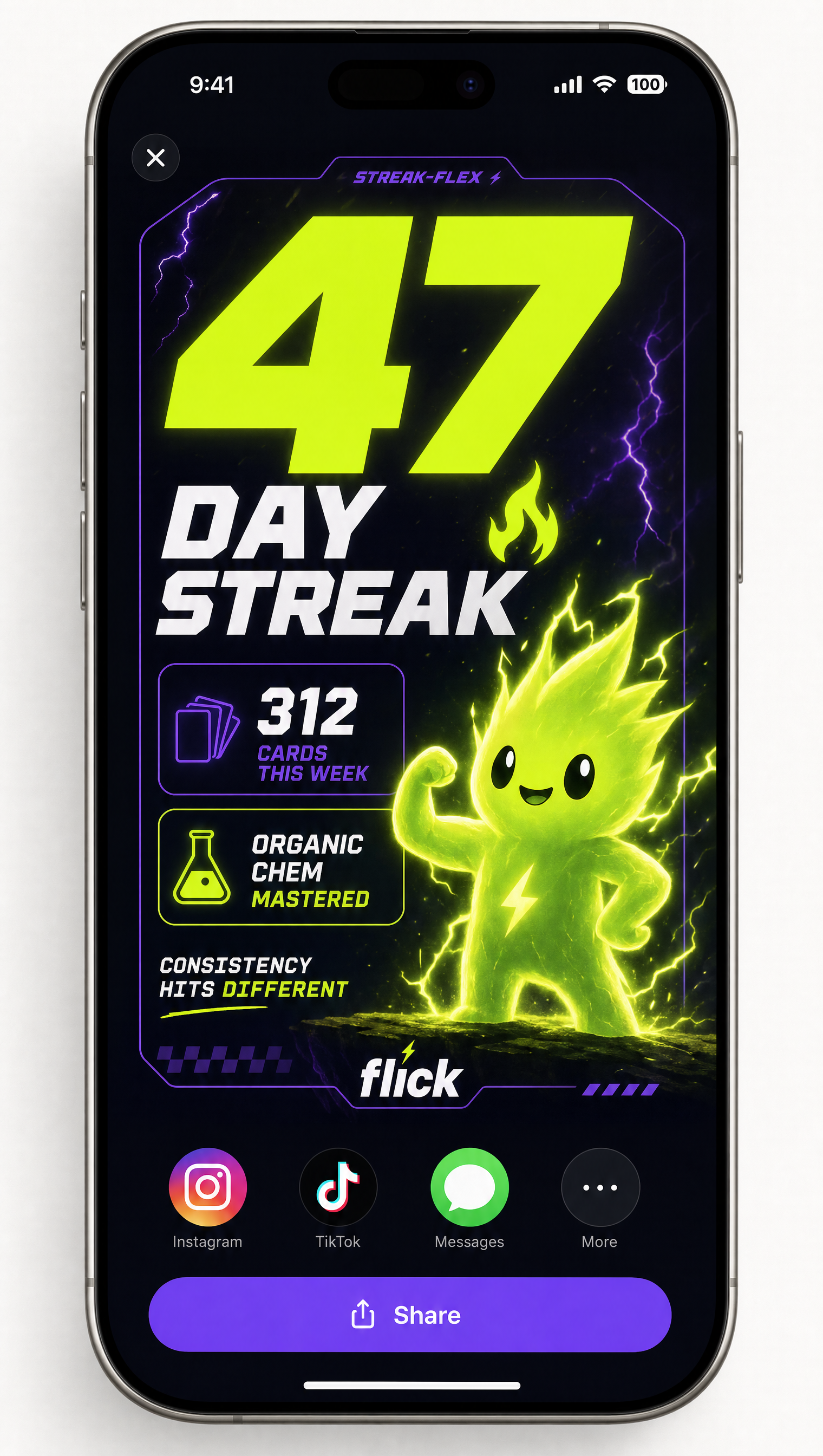
Shareable streak flex card
Built for the group chat

Your streak, but make it a flex

47-day streak? 312 cards this week? Flick auto-generates a gorgeous, on-brand card you can drop straight into your Story. Every share pulls your friends in — the whole loop is the ad.

Early testers

Students are obsessed

★★★★★

“I replaced my For You page with this and my chem grade did a 180. Genuinely addicted.”

Maya, pre-med
★★★★★

“Scanned my whole bio notebook in like 2 minutes. Volt is unhinged and I love him.”

Deval, junior
★★★★★

“The streak flex cards are so good I keep posting them. Accidentally started studying daily.”

Sofia, uni
Early access

Skip the line

4 quick taps and your email. We’re letting the waitlist in first.

Step 1 of 5
First up — you are…